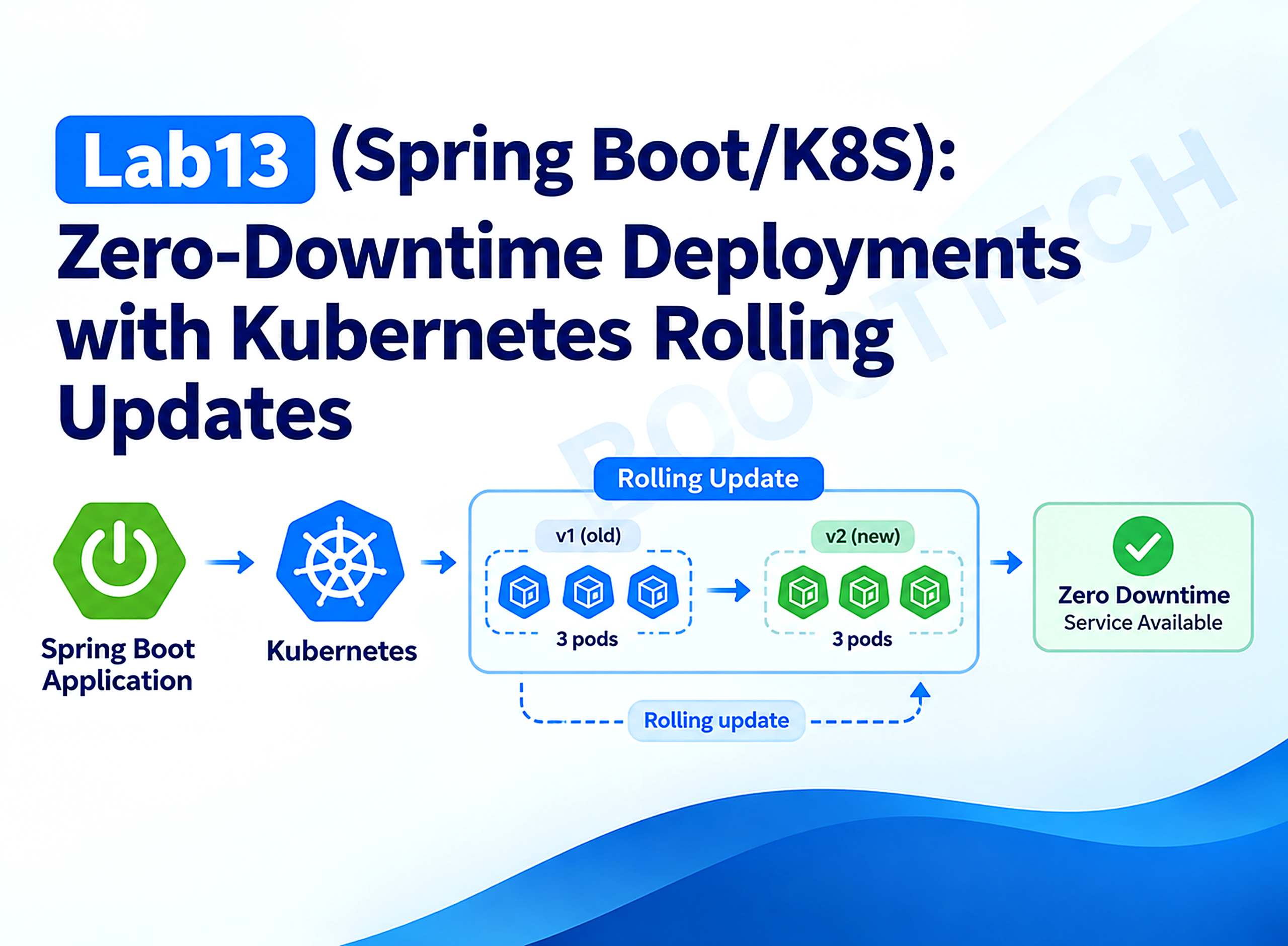
In this post, we’ll explore a complete rolling-update implementation: the maxSurge/maxUnavailable budget that governs pod replacement, minReadySeconds and progressDeadlineSeconds as rollout-pacing controls, Deployment revision history and rollback via kubectl rollout undo, and — critically — how Lab2’s readiness probes become the rollout controller’s own safety mechanism rather than just a startup gate.
This series of stories shows how to use Kubernetes in the Spring ecosystem. We work with a Spring Boot API and Minikube to have a lightweight and fast development environment similar to production.
- Lab1 (Spring Boot/K8S): Deploy Spring Boot application on Kubernetes
- Lab2 (Spring Boot/K8S): Kubernetes health probes with Spring Boot
- Lab3 (Spring Boot/K8S): Mastering ConfigMaps in Kubernetes
- Lab4 (Spring Boot/K8S): Using Kubernetes Secrets in Spring Boot
- Lab5 (Spring Boot/K8S): Understanding Kubernetes Resources Management
- Lab6 (Spring Boot/K8S): Persistent Volumes in Kubernetes
- Lab7 (Spring Boot/K8S): Spring Batch on Kubernetes — Jobs and CronJobs
- Lab8 (Spring Boot/K8S): Deploy a Spring Boot application on Kubernetes using Helm Chart
- Lab9 (Spring Boot/K8S): Understanding Kubernetes DaemonSet
- Lab10 (Spring Boot/K8S): Frontend deployment with Angular 19 on Kubernetes
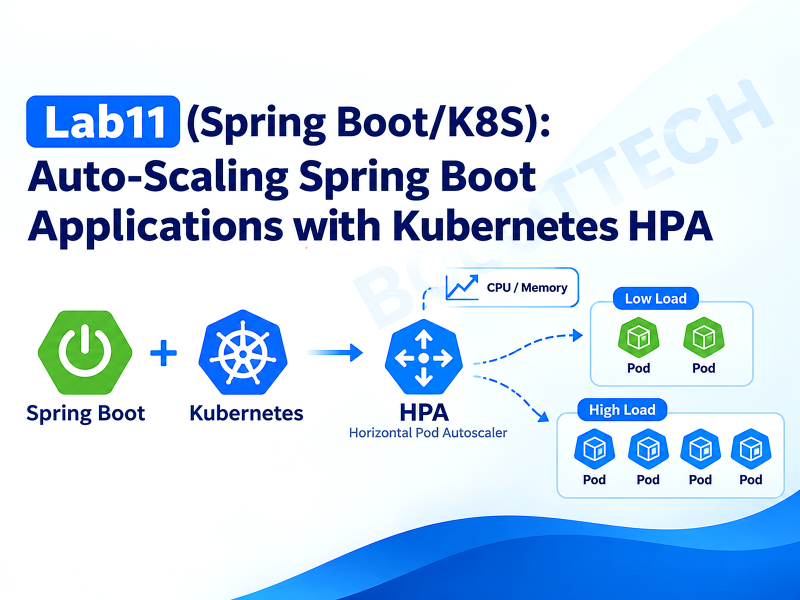
- Lab11 (Spring Boot/K8S): Auto-Scaling Spring Boot Applications with Kubernetes HPA
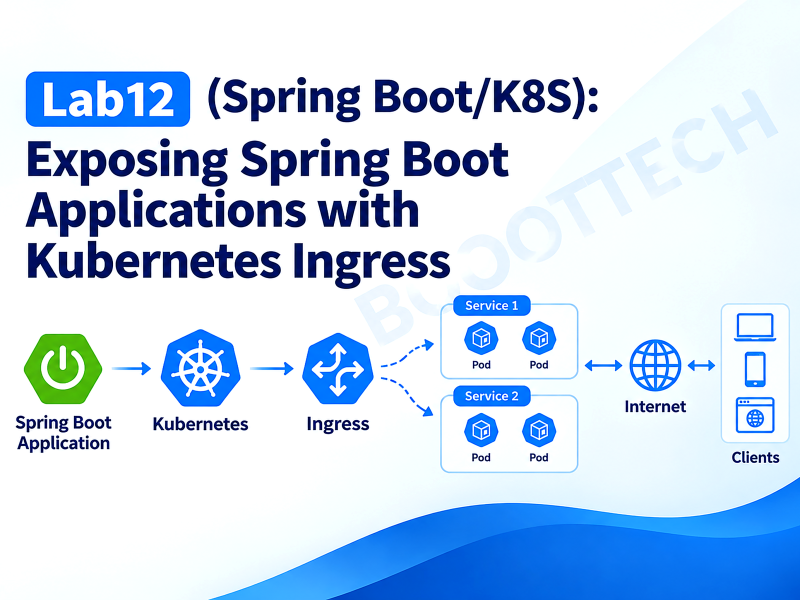
- Lab12 (Spring Boot/K8S): Exposing Spring Boot Applications with Kubernetes Ingress
- 👉 Lab13 (Spring Boot/K8S): Zero-Downtime Deployments with Kubernetes Rolling Updates
Every earlier lab in this series ended the same way: apply a manifest, get a running pod, move on. None of them asked what happens to the pods that were already running when you deploy again. That question is the difference between a demo and a production system — a deploy that drops even a few seconds of traffic, multiplied across however many times a week your team ships, adds up to an SLA problem with a name and a postmortem.
Kubernetes’ default Deployment strategy, RollingUpdate, replaces pods gradually instead of all at once — but “gradually” is controlled by two fields (maxSurge, maxUnavailable) most manifests set once, copy forever, and never actually reason about. This lab deploys three replicas of a Spring Boot service at v1.0.0, rolls forward to v2.0.0 while watching the exact pod-by-pod replacement sequence, inspects the resulting revision history, rolls back, and then deliberately ships a broken version to prove the one thing that makes all of this safe: Lab2’s readiness probes are what stop a bad rollout from ever reaching full traffic.
Concept Overview
RollingUpdate is a budget, not a schedule
A Deployment‘s RollingUpdate strategy doesn’t move pods on a timer. It enforces two limits on top of the desired replica count, and re-evaluates continuously:
maxUnavailable— how many of the desired replicas are allowed to be not ready at once, during the update.0means the update can never drop below full desired capacity.maxSurge— how many extra pods, above the desired count, the controller is allowed to create while replacing old ones.
With replicas: 3, maxSurge: 1, maxUnavailable: 0, the controller’s math is: never go below 3 ready pods, never run more than 4 pods total. It creates one new pod (4 total: 3 old + 1 new), waits for that new pod to pass its readiness probe, then — only then — terminates one old pod (back to 3: 2 old + 1 new). Repeat until all three are the new version:
v1  v1  v1                  (3 ready, steady state)
         │ create 1 new pod (surge)
v1  v1  v1  v2               (4 pods, 1 not yet ready)
         │ new pod passes readiness → terminate 1 old
v1  v1  v2                   (3 ready)
         │ create 1 new pod (surge)
v1  v1  v2  v2               (4 pods, 1 not yet ready)
         │ new pod passes readiness → terminate 1 old
v1  v2  v2                   (3 ready)
         │ create 1 new pod (surge)
v1  v2  v2  v2                (4 pods, 1 not yet ready)
         │ new pod passes readiness → terminate 1 old
v2  v2  v2                   (3 ready, steady state)
At no point does the Service’s endpoint list drop below 3 ready pods. That’s the entire mechanism behind “zero-downtime deploy” — it’s not magic, it’s a strictly enforced floor on availability during the transition.
Readiness probes are not just a startup gate — they’re the pacing signal
This is the connection back to Lab2 that makes this lab worth writing. A new pod counts toward “available” — and unblocks the next step of the rollout — only once its readiness probe passes. Without a readiness probe, Kubernetes’ default behavior treats a container as ready the instant its process starts, which means a JVM that takes ten seconds to actually finish initializing Spring’s context receives live traffic for those ten seconds regardless, and the rollout controller has no signal to wait on at all — it just barrels through maxSurge/maxUnavailable as fast as containers start, not as fast as they’re actually able to serve requests correctly. The readiness probe is simultaneously “don’t send this pod traffic yet” and “don’t let the rollout controller think this step succeeded yet.” Remove it, and you lose both guarantees at once.
Revisions are ReplicaSets, not a special history log
Every time a Deployment‘s pod template (spec.template) changes, Kubernetes creates a new ReplicaSet and scales it up while scaling the old one down — that ReplicaSet is the revision. kubectl rollout history is reading metadata off these ReplicaSet objects, and kubectl rollout undo works by scaling a previous ReplicaSet back up and the current one back down — it’s the exact same rolling-update machinery running in reverse, which is why a rollback is just as safe (governed by the same maxSurge/maxUnavailable budget) as a forward deploy.
What We’re Building
A single Spring Boot service, rollout-demo, whose /api/version endpoint reports which version and which pod answered — the exact thing to watch during a rollout — plus a readiness check that can be artificially slowed down (to make the surge/replace sequence visible instead of instantaneous) or forced to fail (to simulate a broken release).
Step 1: kubectl apply deployment-v1.yaml   → 3x rollout-demo:1.0.0
Step 2: kubectl apply deployment-v2.yaml   → rolling update to 2.0.0, one pod at a time
Step 3: kubectl rollout history / undo     → inspect revisions, roll back
Step 4: kubectl apply deployment-v3-broken.yaml
        → same 2.0.0 image, FORCE_UNHEALTHY=true
        → new pod never passes readiness → rollout stalls, old pods keep serving
        → kubectl rollout undo → back to the last known-good revision
Implementation
Step 1 — A version endpoint built for watching a rollout
package com.bootlabs.rolloutdemo.controller;

import com.bootlabs.rolloutdemo.dto.VersionResponse;
import org.springframework.beans.factory.annotation.Value;
import org.springframework.web.bind.annotation.GetMapping;
import org.springframework.web.bind.annotation.RestController;

import java.time.Duration;
import java.time.Instant;

@RestController
public class VersionController {

    private final String version;
    private final String podName;
    private final Instant startedAt = Instant.now();

    public VersionController(@Value("${app.version}") String version) {
        this.version = version;
        this.podName = System.getenv().getOrDefault("POD_NAME", "local");
    }

    @GetMapping("/api/version")
    public VersionResponse version() {
        long uptimeSeconds = Duration.between(startedAt, Instant.now()).toSeconds();
        return new VersionResponse(version, podName, uptimeSeconds);
    }
}
version comes from app.version, itself sourced from an APP_VERSION environment variable baked into the container image at build time (Step 4) — not something overridable at deploy time, because the whole point is that the version reported matches the image that’s actually running, the same way it would in a real release.
Step 2 — A readiness check that can simulate slow startup or a broken dependency
package com.bootlabs.rolloutdemo.health;

import org.springframework.boot.actuate.health.Health;
import org.springframework.boot.actuate.health.HealthIndicator;
import org.springframework.core.env.Environment;
import org.springframework.stereotype.Component;

import java.time.Duration;
import java.time.Instant;

// Contributes to the "readiness" health group (see application.yml) so its
// state directly controls whether this pod receives traffic during a rollout.
@Component
public class DependencyHealthIndicator implements HealthIndicator {

    private final Instant startedAt = Instant.now();
    private final long startupDelayMs;
    private final boolean forceUnhealthy;

    public DependencyHealthIndicator(Environment environment) {
        this.startupDelayMs = Long.parseLong(environment.getProperty("app.startup-delay-ms", "0"));
        this.forceUnhealthy = Boolean.parseBoolean(environment.getProperty("app.force-unhealthy", "false"));
    }

    @Override
    public Health health() {
        if (forceUnhealthy) {
            return Health.down()
                    .withDetail("reason", "a required downstream dependency is unavailable")
                    .build();
        }

        long elapsedMs = Duration.between(startedAt, Instant.now()).toMillis();
        if (elapsedMs < startupDelayMs) {
            return Health.down()
                    .withDetail("reason", "still warming up")
                    .withDetail("remainingMs", startupDelayMs - elapsedMs)
                    .build();
        }

        return Health.up().build();
    }
}
Two independent knobs, both environment-driven so no rebuild is needed to flip them:
STARTUP_DELAY_MSmakes the pod reportDOWNfor a fixed window after start — set to15000in the manifests so the rolling-update sequence takes long enough to actually watch withkubectl get pods -winstead of finishing before you can read the output.FORCE_UNHEALTHYmakes it reportDOWNpermanently, simulating a release whose readiness check depends on something that isn’t actually available yet — used only in Step 8’s broken-rollout scenario.
By default, a custom HealthIndicator bean contributes to the aggregate /actuator/health endpoint, but not automatically to the readiness or liveness groups Spring Boot exposes for Kubernetes — those groups only include readinessState/livenessState unless configured otherwise. Wiring this indicator in is one explicit line:
management:
  endpoint:
    health:
      probes:
        enabled: true
  health:
    livenessstate:
      enabled: true
    readinessstate:
      enabled: true
    group:
      readiness:
        include: readinessState,dependency
dependency here is the indicator’s contribution key, derived automatically from the bean’s class name (DependencyHealthIndicator → dependency). Leaving this include line out is a common, silent mistake: the custom indicator would still show up on /actuator/health, look correct in a browser, and have zero effect on /actuator/health/readiness — the one endpoint Kubernetes actually calls.
Step 3 — Full application configuration
server:
  port: 8080

spring:
  application:
    name: rollout-demo

app:
  version: ${APP_VERSION:dev}
  startup-delay-ms: ${STARTUP_DELAY_MS:0}
  force-unhealthy: ${FORCE_UNHEALTHY:false}

management:
  endpoints:
    web:
      exposure:
        include: health,info
  endpoint:
    health:
      probes:
        enabled: true
  health:
    livenessstate:
      enabled: true
    readinessstate:
      enabled: true
    group:
      readiness:
        include: readinessState,dependency
Step 4 — Dockerfile with the version baked in at build time
FROM maven:3.9.9-eclipse-temurin-21 AS build
WORKDIR /app
COPY pom.xml .
RUN mvn -B dependency:go-offline
COPY src ./src
RUN mvn -B clean package -DskipTests

FROM eclipse-temurin:21-jre-alpine
ARG APP_VERSION=dev
RUN addgroup -S spring && adduser -S spring -G spring
WORKDIR /app
COPY --from=build /app/target/*.jar app.jar
ENV APP_VERSION=${APP_VERSION}
USER spring:spring
EXPOSE 8080
ENTRYPOINT ["java", "-jar", "app.jar"]
eval $(minikube docker-env)
docker build -t rollout-demo:1.0.0 --build-arg APP_VERSION=1.0.0 ./rollout-demo
docker build -t rollout-demo:2.0.0 --build-arg APP_VERSION=2.0.0 ./rollout-demoSTARTUP_DELAY_MS and FORCE_UNHEALTHY are deliberately not baked in here — they’re set at the Deployment level instead (Step 5), because they represent runtime/environment concerns, not the artifact itself. APP_VERSION is baked in because it has to be inseparable from the image that was actually built and tested.
Step 5 — Deployment v1: the strategy that makes everything else work
apiVersion: apps/v1
kind: Deployment
metadata:
  name: rollout-demo
  labels:
    app: rollout-demo
  annotations:
    kubernetes.io/change-cause: "Deploy v1.0.0 - initial rollout"
spec:
  replicas: 3
  minReadySeconds: 5
  progressDeadlineSeconds: 90
  strategy:
    type: RollingUpdate
    rollingUpdate:
      maxSurge: 1
      maxUnavailable: 0
  selector:
    matchLabels:
      app: rollout-demo
  template:
    metadata:
      labels:
        app: rollout-demo
    spec:
      containers:
        - name: rollout-demo
          image: rollout-demo:1.0.0
          imagePullPolicy: Never
          ports:
            - containerPort: 8080
          env:
            - name: POD_NAME
              valueFrom:
                fieldRef:
                  fieldPath: metadata.name
            - name: STARTUP_DELAY_MS
              value: "15000"
          resources:
            requests:
              cpu: "100m"
              memory: "256Mi"
            limits:
              cpu: "500m"
              memory: "512Mi"
          readinessProbe:
            httpGet:
              path: /actuator/health/readiness
              port: 8080
            initialDelaySeconds: 2
            periodSeconds: 2
            failureThreshold: 3
          livenessProbe:
            httpGet:
              path: /actuator/health/liveness
              port: 8080
            initialDelaySeconds: 20
            periodSeconds: 10
---
apiVersion: v1
kind: Service
metadata:
  name: rollout-demo-service
spec:
  type: ClusterIP
  selector:
    app: rollout-demo
  ports:
    - port: 80
      targetPort: 8080
Fields that matter specifically for the rollout behavior, beyond maxSurge/maxUnavailable already covered:
minReadySeconds: 5— a new pod must stayReadyfor 5 consecutive seconds before it counts as available and unblocks the next step. Without this, a pod that briefly flickers ready-then-unready (a flaky dependency check, a GC pause during warmup) could still let the rollout proceed on a technicality. It’s the difference between “passed the readiness probe once” and “is actually stable.”progressDeadlineSeconds: 90— how long the controller waits for visible progress before marking the whole rolloutProgressDeadlineExceeded. The Kubernetes default is600(10 minutes);90is set here purely so Step 8’s broken-rollout demo doesn’t require sitting and waiting for ten minutes to see the failure condition. A shorter deadline in production trades faster failure detection for a higher chance of flagging a merely-slow-but-fine rollout as failed — tune it against your own pods’ actual startup time distribution, not a demo’s.kubernetes.io/change-causeon the Deployment’s ownmetadata.annotations— this is whatkubectl rollout historydisplays per revision. It only gets attributed to a revision when applied together with an actualspec.templatechange; annotating an unchanged Deployment doesn’t create a new revision at all.
kubectl apply -f k8s/deployment-v1.yaml
kubectl rollout status deployment/rollout-demo
Waiting for deployment "rollout-demo" rollout to finish: 0 of 3 updated replicas are available...
Waiting for deployment "rollout-demo" rollout to finish: 1 of 3 updated replicas are available...
Waiting for deployment "rollout-demo" rollout to finish: 2 of 3 updated replicas are available...
deployment "rollout-demo" successfully rolled outStep 6 — Rolling forward to v2.0.0
apiVersion: apps/v1
kind: Deployment
metadata:
  name: rollout-demo
  labels:
    app: rollout-demo
  annotations:
    kubernetes.io/change-cause: "Deploy v2.0.0 - rolling update demo"
spec:
  replicas: 3
  minReadySeconds: 5
  progressDeadlineSeconds: 90
  strategy:
    type: RollingUpdate
    rollingUpdate:
      maxSurge: 1
      maxUnavailable: 0
  selector:
    matchLabels:
      app: rollout-demo
  template:
    metadata:
      labels:
        app: rollout-demo
    spec:
      containers:
        - name: rollout-demo
          image: rollout-demo:2.0.0
          imagePullPolicy: Never
          ports:
            - containerPort: 8080
          env:
            - name: POD_NAME
              valueFrom:
                fieldRef:
                  fieldPath: metadata.name
            - name: STARTUP_DELAY_MS
              value: "15000"
          resources:
            requests:
              cpu: "100m"
              memory: "256Mi"
            limits:
              cpu: "500m"
              memory: "512Mi"
          readinessProbe:
            httpGet:
              path: /actuator/health/readiness
              port: 8080
            initialDelaySeconds: 2
            periodSeconds: 2
            failureThreshold: 3
          livenessProbe:
            httpGet:
              path: /actuator/health/liveness
              port: 8080
            initialDelaySeconds: 20
            periodSeconds: 10
Only image and the change-cause annotation changed from deployment-v1.yaml — that single spec.template diff (the image tag) is what triggers a new ReplicaSet and a new rollout. In one terminal:
kubectl get pods -l app=rollout-demo -wIn another:
kubectl apply -f k8s/deployment-v2.yamlWatching the first terminal reproduces the exact sequence from Concept Overview — a rollout-demo-...-<new> pod appears (0/1 Running), transitions to 1/1 Running roughly 15–20 seconds later (the artificial startup delay plus minReadySeconds), then one v1.0.0 pod terminates. Repeat three times and the Deployment is fully on v2.0.0, having never dropped below 3 ready pods:
for i in $(seq 1 12); do curl -s http://localhost:8080/api/version | jq -c; sleep 1; doneRun that against a kubectl port-forward svc/rollout-demo-service 8080:80 in a separate terminal during the rollout, and the version/pod fields visibly flip from 1.0.0 to 2.0.0, pod by pod, with zero failed requests in between.
Step 7 — Revision history and rollback
kubectl rollout history deployment/rollout-demodeployment.apps/rollout-demo
REVISION CHANGE-CAUSE
1 Deploy v1.0.0 - initial rollout
2 Deploy v2.0.0 - rolling update demokubectl rollout history deployment/rollout-demo --revision=2deployment.apps/rollout-demo with revision #2
Pod Template:
Labels: app=rollout-demo
Annotations: kubernetes.io/change-cause: Deploy v2.0.0 - rolling update demo
Containers:
rollout-demo:
Image: rollout-demo:2.0.0
...Rolling back is the same RollingUpdate machinery, run against the previous ReplicaSet:
kubectl rollout undo deployment/rollout-demo
kubectl rollout status deployment/rollout-demo
kubectl rollout undo deployment/rollout-demo --to-revision=1targets a specific revision instead of just “the previous one” — useful once more than two revisions exist and “previous” stops being unambiguous.
Step 8 — Deploying something broken, and watching it get contained
Same 2.0.0 image, FORCE_UNHEALTHY=true added — simulating the far more common real failure mode: not a bad jar, but a config or environment change shipped alongside a release that breaks a dependency check:
# deployment-v3-broken.yaml — only the env block differs from deployment-v2.yaml
env:
  - name: POD_NAME
    valueFrom:
      fieldRef:
        fieldPath: metadata.name
  - name: STARTUP_DELAY_MS
    value: "15000"
  - name: FORCE_UNHEALTHY
    value: "true"
kubectl apply -f k8s/deployment-v3-broken.yaml
kubectl rollout status deployment/rollout-demo --timeout=100sWaiting for deployment "rollout-demo" rollout to finish: 0 of 3 updated replicas are available...
error: timed out waiting for the condition
kubectl get pods -l app=rollout-demoNAME READY STATUS RESTARTS AGE
rollout-demo-6d9f4b7c9d-a1b2c 1/1 Running 0 6m
rollout-demo-6d9f4b7c9d-d3e4f 1/1 Running 0 6m
rollout-demo-6d9f4b7c9d-g5h6i 1/1 Running 0 6m
rollout-demo-7c8b6f5d4e-x9y8z 0/1 Running 0 90sThis is the payoff. maxUnavailable: 0 means the controller cannot touch any of the three healthy v2.0.0 pods until a replacement is ready — and FORCE_UNHEALTHY=true guarantees the replacement is never ready. maxSurge: 1 caps the damage to exactly one stuck pod; the rollout doesn’t retry with more broken pods, it just stops. The Service is still serving 100% of its traffic from the three good v2.0.0 pods, the entire time. After progressDeadlineSeconds (90s here):
kubectl describe deployment rollout-demo
Conditions:
  Type           Status  Reason
  ----           ------  ------
  Available      True    MinimumReplicasAvailable
  Progressing    False   ProgressDeadlineExceeded
Available: True and Progressing: False at the same time is the whole story in two fields: the Deployment as a user-facing service is fine; the rollout is the thing that failed. Roll back:
kubectl rollout undo deployment/rollout-demo
kubectl get pods -l app=rollout-demo
The stuck pod terminates, and the Deployment settles back to three v2.0.0 pods — the last known-good revision, not the one that just failed.
Testing
Verifying the rollout never drops availability
The most convincing test isn’t a unit test — it’s a request-loop run concurrently with kubectl apply:
kubectl port-forward svc/rollout-demo-service 8080:80 &
while true; do
  code=$(curl -s -o /dev/null -w "%{http_code}" http://localhost:8080/api/version)
  echo "$(date +%T) $code"
  sleep 0.5
done
Start this before applying deployment-v2.yaml, and every line should read 200 for the entire rollout — including the broken-rollout scenario in Step 8, where it should stay 200 throughout despite the stuck pod, since maxUnavailable: 0 never removes a working pod without a working replacement.
Unit tests
DependencyHealthIndicator is tested directly, without a Spring context, using MockEnvironment:
package com.bootlabs.rolloutdemo.health;

import org.junit.jupiter.api.Test;
import org.springframework.boot.actuate.health.Health;
import org.springframework.boot.actuate.health.Status;
import org.springframework.mock.env.MockEnvironment;

import static org.assertj.core.api.Assertions.assertThat;

class DependencyHealthIndicatorTest {

    @Test
    void reportsDownWhileWithinStartupDelay() {
        MockEnvironment environment = new MockEnvironment()
                .withProperty("app.startup-delay-ms", "60000")
                .withProperty("app.force-unhealthy", "false");
        DependencyHealthIndicator indicator = new DependencyHealthIndicator(environment);

        Health health = indicator.health();

        assertThat(health.getStatus()).isEqualTo(Status.DOWN);
        assertThat(health.getDetails()).containsEntry("reason", "still warming up");
    }

    @Test
    void reportsDownWhenForcedUnhealthyRegardlessOfStartupDelay() {
        MockEnvironment environment = new MockEnvironment()
                .withProperty("app.startup-delay-ms", "0")
                .withProperty("app.force-unhealthy", "true");
        DependencyHealthIndicator indicator = new DependencyHealthIndicator(environment);

        Health health = indicator.health();

        assertThat(health.getStatus()).isEqualTo(Status.DOWN);
        assertThat(health.getDetails()).containsEntry("reason", "a required downstream dependency is unavailable");
    }
}
And VersionController gets a @WebMvcTest slice:
package com.bootlabs.rolloutdemo.controller;

import org.junit.jupiter.api.Test;
import org.springframework.beans.factory.annotation.Autowired;
import org.springframework.boot.test.autoconfigure.web.servlet.WebMvcTest;
import org.springframework.test.context.TestPropertySource;
import org.springframework.test.web.servlet.MockMvc;

import static org.springframework.test.web.servlet.request.MockMvcRequestBuilders.get;
import static org.springframework.test.web.servlet.result.MockMvcResultMatchers.jsonPath;
import static org.springframework.test.web.servlet.result.MockMvcResultMatchers.status;

@WebMvcTest(VersionController.class)
@TestPropertySource(properties = "app.version=2.0.0")
class VersionControllerTest {

    @Autowired
    private MockMvc mockMvc;

    @Test
    void returnsConfiguredVersionAndPod() throws Exception {
        mockMvc.perform(get("/api/version"))
                .andExpect(status().isOk())
                .andExpect(jsonPath("$.version").value("2.0.0"))
                .andExpect(jsonPath("$.uptimeSeconds").isNumber());
    }
}
Edge cases worth adding beyond what’s shown here: progressDeadlineSeconds expiring mid-rollout when only some replicas of a larger fleet are affected (not all-or-nothing, as this lab’s small scale demonstrates), and a rollback issued while a rollout is still in progress (kubectl rollout undo while rollout status is still waiting) — it’s a valid operation and worth confirming it behaves as expected rather than assuming.
Performance Considerations
maxSurge has a real resource cost during every rollout. With maxSurge: 1 on 3 replicas, the cluster briefly runs 4 pods’ worth of CPU/memory requests instead of 3 — on a resource-constrained cluster (Minikube included), that headroom has to actually exist, or the surge pod sits Pending waiting for schedulable capacity, which stalls the rollout for a completely different reason than a failing readiness probe. Size node capacity with rollout headroom in mind, not just steady-state load.
minReadySeconds and progressDeadlineSeconds trade rollout speed for confidence, in opposite directions. A longer minReadySeconds means slower rollouts but higher confidence that a “ready” pod is actually stable; a shorter progressDeadlineSeconds means faster failure detection but more false positives on pods that are merely slow rather than broken. Neither has a universally correct value — both should be tuned against your own application’s actual startup-time distribution under real load, not copied from a tutorial.
maxUnavailable: 0 is the safest setting and the most resource-hungry one. It guarantees full capacity throughout the rollout at the cost of requiring surge headroom for every single replacement. maxUnavailable: 1 (or a percentage) finishes rollouts faster and needs less spare capacity, at the cost of briefly running below full desired capacity — acceptable for a service with load-shedding headroom, not acceptable for one already running near saturation.
A rollout that never finishes still consumes scheduler and API-server cycles. A permanently stuck rollout (this lab’s Step 8, left un-rolled-back) leaves one surge pod perpetually Running but NotReady, continuously retried by its readiness probe every periodSeconds. That’s a small, constant background cost — not dangerous on its own, but a signal, if left unnoticed, that something is actively broken and nobody has looked.
Common Pitfalls
- Deploying with no readiness probe at all. Without one, Kubernetes considers a container ready the moment its process starts, so the rolling-update controller has no real signal to pace against — it proceeds as fast as containers start, not as fast as they’re actually able to serve correctly. This is the single most common way a “zero-downtime” rollout produces a burst of errors anyway.
- A custom
HealthIndicatorthat never gets wired into the readiness group. It shows up fine on/actuator/health, looks correct, and has zero effect on the one endpoint (/actuator/health/readiness) that actually controls traffic and rollout pacing — themanagement.health.group.readiness.includeline is not optional if you want a custom check to matter. - Setting
maxUnavailableandmaxSurgeboth to non-zero values reflexively, without reasoning about the tradeoff. The defaults (25%each) are a reasonable general-purpose choice, but “reasonable general-purpose” and “correct for this specific service’s tolerance for reduced capacity” are not the same claim — verify, don’t assume. - Confusing
Available: Truewith “the rollout succeeded.” As Step 8 demonstrates, a Deployment can be fully available (serving all traffic from old pods) while its rollout is actively failing (Progressing: False,ProgressDeadlineExceeded). Alerting only on availability misses exactly the failure mode this lab is about. - Applying a
change-causeannotation without changingspec.template.kubectl annotateon an otherwise-unchanged Deployment does not create a new revision — the annotation has to accompany an actual template diff (image, env, resources, etc.) to be attributed to akubectl rollout historyentry. - Rolling back and assuming it’s instant.
kubectl rollout undoruns the exact sameRollingUpdatemachinery in reverse, governed by the samemaxSurge/maxUnavailablebudget — it’s safe, but it’s not instantaneous, andkubectl rollout statusafter anundois worth watching just like a forward deploy. - Treating a slow-starting pod and a genuinely broken pod identically. Both show up as
0/1 Readyinkubectl get pods. The difference (transient warmup vs. a permanently failing dependency) only becomes visible by watching the trend overprogressDeadlineSeconds— a stuck-since-the-first-check pod and a pod that’s merely 40 seconds into a 60-second warmup look the same at a glance.
Alternative Approaches

RollingUpdate is the right default for most stateless Spring Boot services precisely because it needs nothing beyond what’s already in this lab: a Deployment, a readiness probe, and reasoning about maxSurge/maxUnavailable. Reach for canary or blue/green when a bad release needs to be caught before it reaches any meaningful fraction of production traffic, not just contained once it does — RollingUpdate still lets a broken new pod exist (just not receive traffic), which a canary’s traffic-percentage gate prevents earlier in the process.
Key Takeaways
maxSurgeandmaxUnavailabletogether define a strict availability floor and cluster-headroom ceiling during a rollout —maxUnavailable: 0is what actually makes a deploy zero-downtime, not theRollingUpdatestrategy name alone.- A readiness probe is the rollout controller’s only signal for “this new pod is actually ready to replace an old one” — no probe means no real pacing, regardless of how the strategy is configured.
Available: TrueandProgressing: Falsecan both be true at once: the service can be fully up while its rollout has failed and needs akubectl rollout undo.
The complete source code is available on GitHub.
Support me through GitHub Sponsors.
Thank you for Reading !! See you in the next post.
References
- Kubernetes Documentation — Deployments (RollingUpdate strategy)
- Kubernetes Documentation — Rolling Back a Deployment
- Kubernetes Documentation — Configure Liveness, Readiness and Startup Probes
- Spring Boot Documentation — Kubernetes Probes
- Spring Boot Documentation — Health Groups
- Argo Rollouts — Progressive Delivery for Kubernetes
- Lab2 (Spring Boot/K8S) — Kubernetes Health Probes with Spring Boot